Video Instructions
Screenshot Instructions
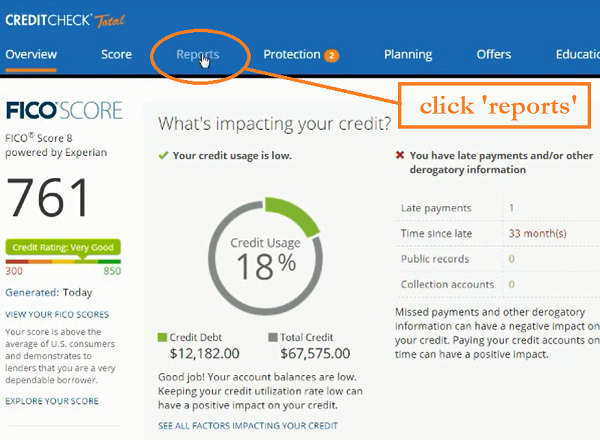
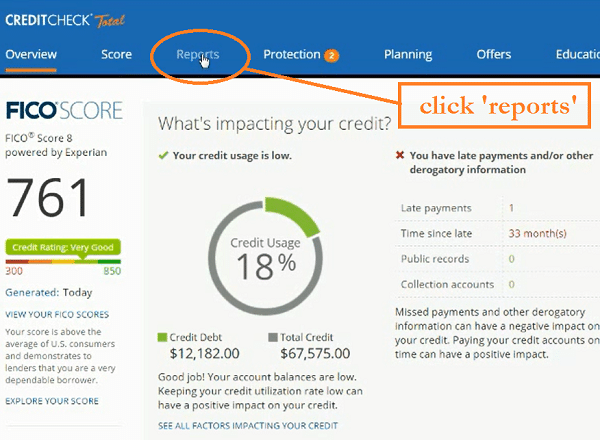
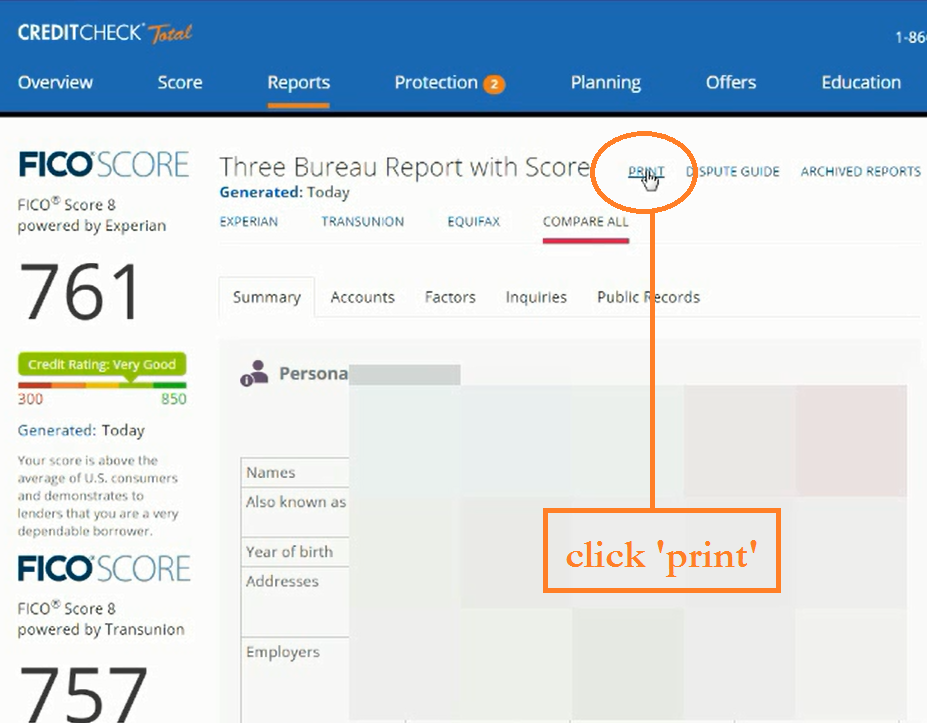
- After signing into Creditchecktotal.com. Click the ‘reports’ tab to view your most recent credit report
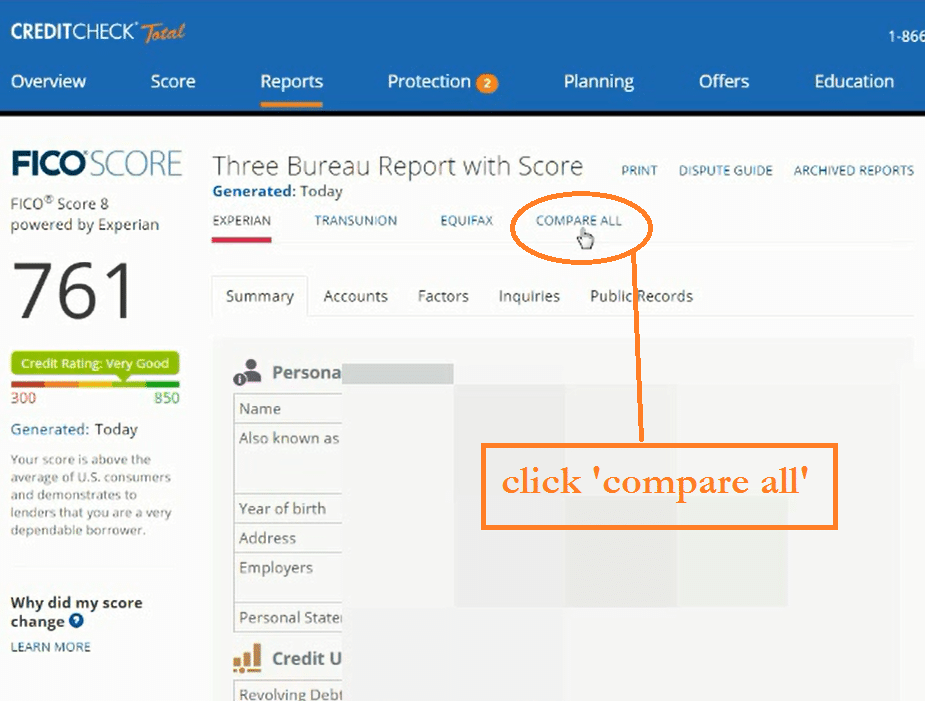
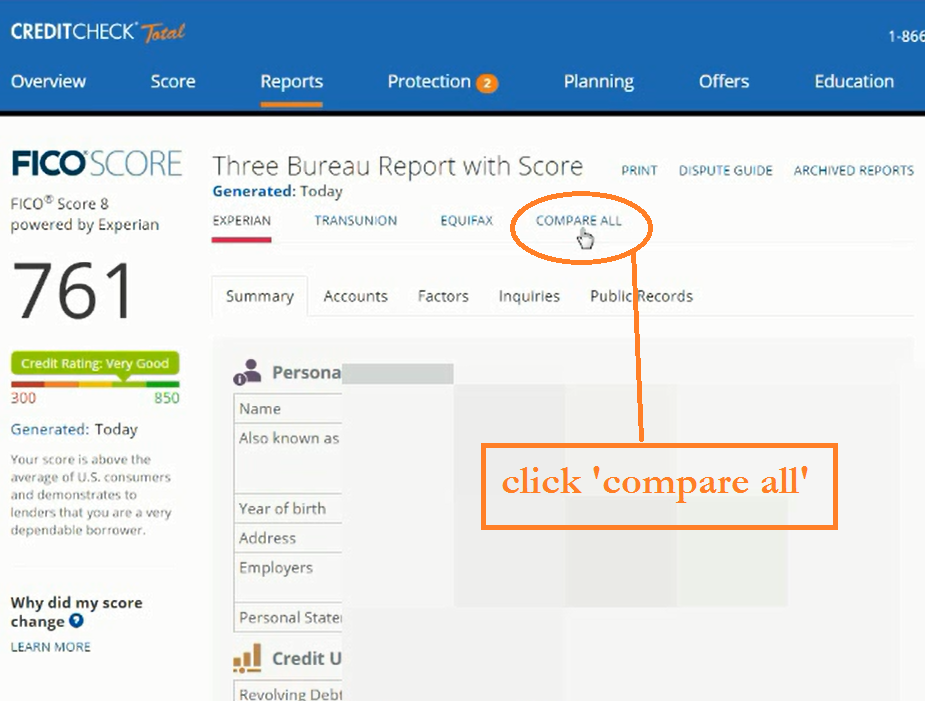
- Click the ‘compare all’ tab below to view all three of your credit reports
- Click ‘print’
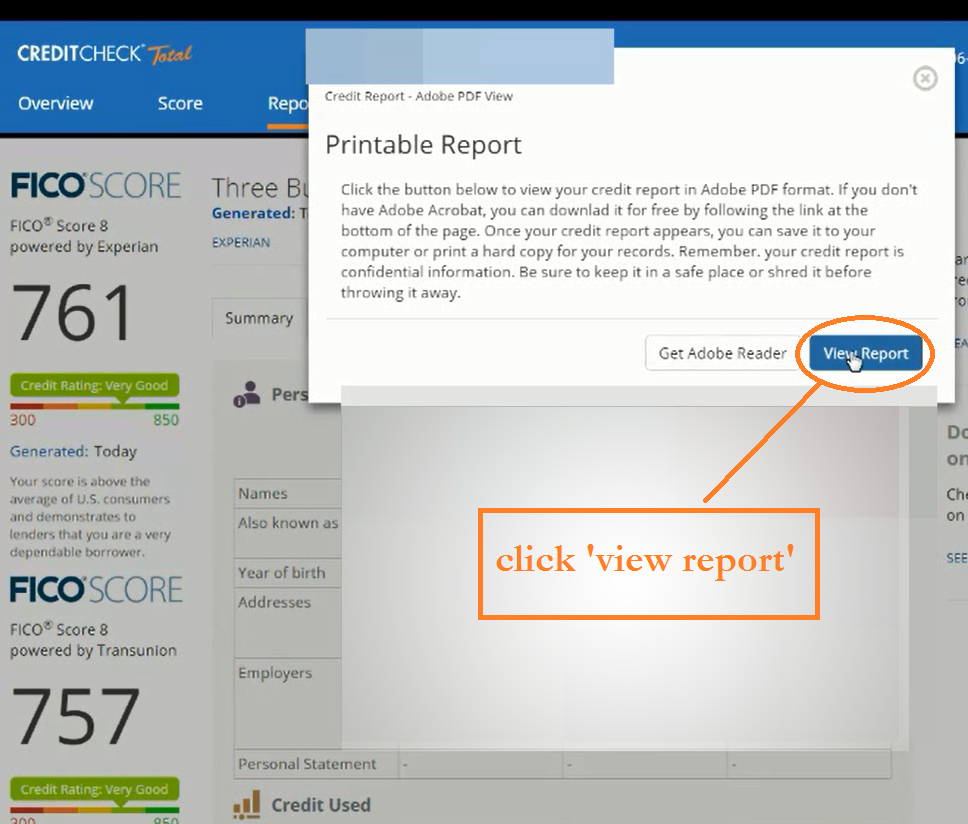
- Click ‘view report’ to view your credit report in a .pdf. NOTE: If you do not have adobe reader installed on your computer, the ‘Get Adobe reader’ button will navigate you to a install a free version of adobe so you can finish this process.
- It may take Creditchecktotal up to 5 minutes to convert your credit report to a .pdf.
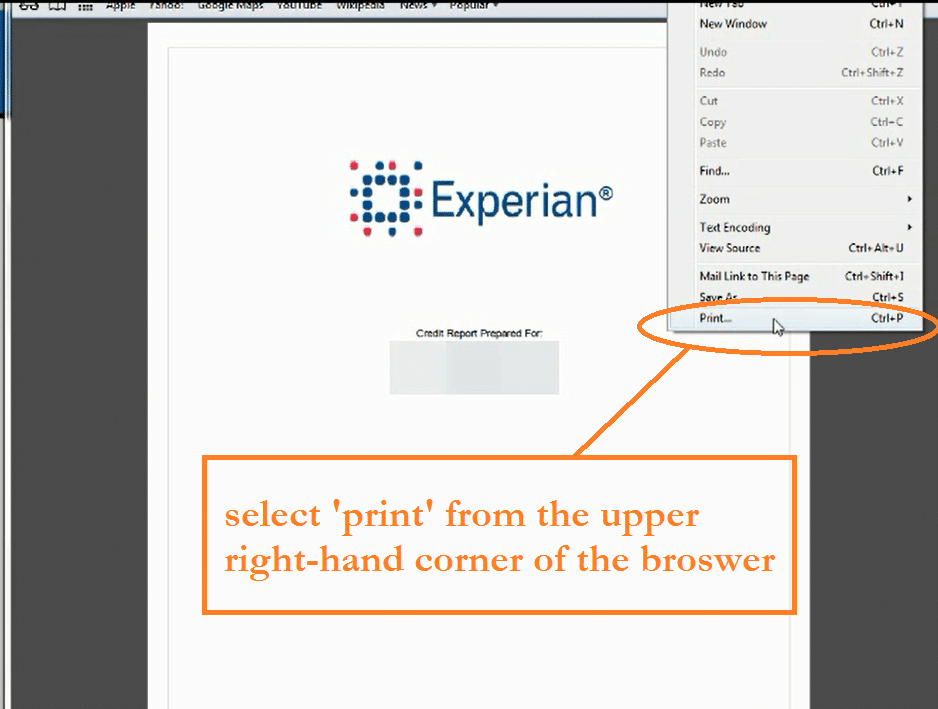
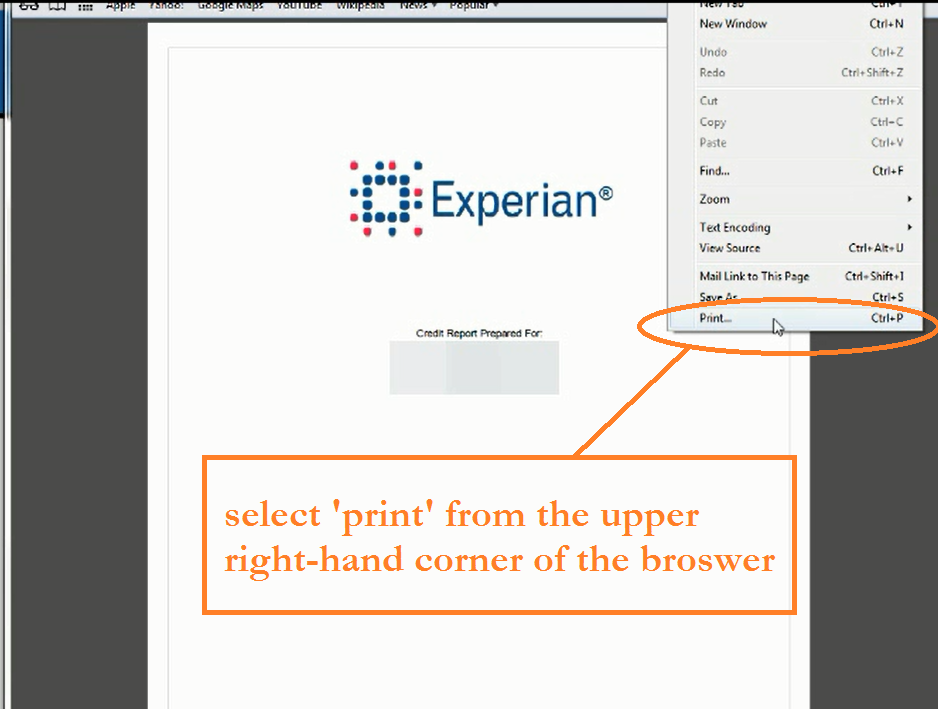
- Select ‘print’ from the menu in the upper right-hand corner of Safari’s menu
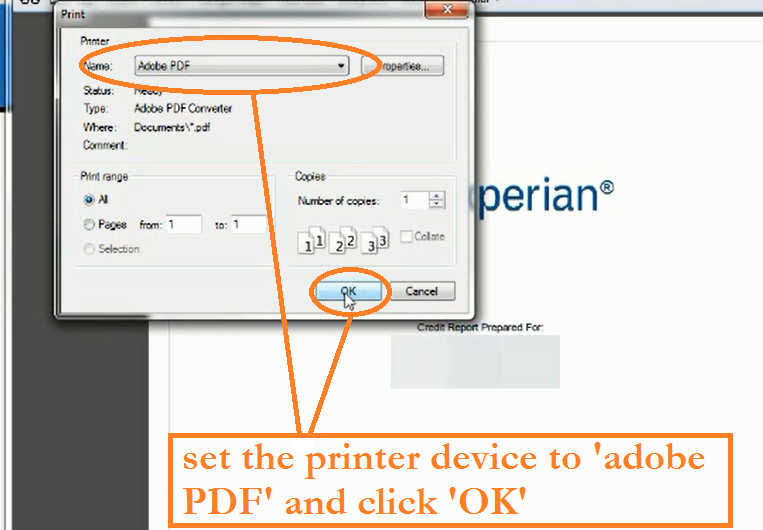
- Set the printer device to ‘Adobe PDF’ and click ‘OK’
Affiliate Marketing Form 2022
Close. More. Clients.